Monday, May 23, 2011

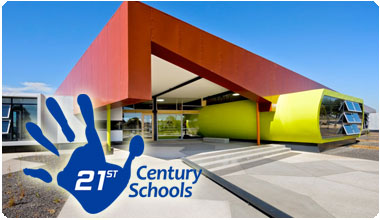
Help DoDEA Design 21st Century Schools!

DoDEA IS ASKING FOR YOUR IDEAS ON LEARNING ENVIRONMENTS IN THE FUTURE
The Department of Defense Education Activity (DoDEA) is seeking your insight and ideas on how future learning environments are designed, constructed and furnished.
In January of 2011, President Barack Obama released a report (Strengthening our Military Families) that identified education as one of his key areas.  Complementing this initiative, the Department of Defense has committed to an ambitious military construction program that will build or significantly renovate over 100 DoDEA schools. From now until 2016, this modernization initiative will replace an aging inventory of facilities with state-of-the-art schools to support dependent education for the next 45 years. 
School districts across the nation, including DoDEA, are facing major facility challenges due largely to the aging infrastructure and the related costs. Providing a safe, secure and educationally appropriate facility for all military children is a critical responsibility for DoDEA.
Parents and community members are invited to share ideas at: http://21stcentury.dodea.edu/. 
“We really need input from our students, parents and the community to help design educational facilities that optimize success for students in the 21st Century,” said Fitzgerald. “Our schools need to support the teaching and learning process in a way that helps our children grow and learn in the 21st Century."

Submissions can be in the form of videos, images, written narratives or audio files. All student work must be submitted by a teacher using the established Intranet site to ensure adult moderation. 

The site provides registration information, guiding questions, and the process for submitting ideas electronically. 

DoDEA has established a three phase plan entitled, Facilities for 21st Century Learning. Phase 1, which has already occurred, brought together experts from industry, educational leaders, and futurists.  Phase 2 focuses on receiving ideas and input from you, our customers.  Phase 3 will involve a thorough analysis and synthesis of all submitted ideas and input. 

“We are seeing dramatic changes in how students communicate, interact, and learn,” said DoDEA Acting Director Marilee Fitzgerald. “School facilities of the future must be flexible and adaptable, allowing us to adjust to deliver student-centric education for a 21st century, knowledge-based economy.”
DoDEA will take innovations in education, curriculum delivery, use of technology, and the growing expectations for sustainability and energy conservation into consideration as the process moves forward.  

The deadline for submission is June 16.  Don’t miss this opportunity to influence the future of education within DoDEA. Visit the site today at: http://21stcentury.dodea.edu/. 

Thursday, May 19, 2011

Free Parent Summer Activity Guides!

To help keep K-5 students from forgetting what they learned in school this summer vacation, the folks at Tech4Learning are giving away guides for parents which include specific and practical Pixie activities across the curriculum to do at home with their child. 
Each guide helps parents:
  • Support learning at home through fun, curriculum-related activities,
  • View important curriculum concepts covered at each grade,
  • Build stronger relationships with their child with collaborative projects.

Explore the guides!
Special Offer for Parents
For a limited time, parents are also eligible for a nearly 50% discount on single copies of Pixie, Frames, Share, and ImageBlender! Parents simply visit their online store and select the products they wish to order and enter HUCLV100 as the discount on the checkout page. 

We hope the Parent Guides will help you make this summer a perfect learning vacation!
PS – We encourage you to explore the guides yourself and forward this email out to parents!

Monday, February 7, 2011

Healthy Eating Habits for Children

We should all be focusing on encouraging healtier eating habits in our children while they are young to prevent health problems associated with obesity and un-healthy eating. 
Dr. Newsom from Martin Army Community Hospital provided this list of snack items that might be healthier than the ones the children are eating. You, as parents can use this information to help your children make healthier choices, at home and at school.

Here are some websites that can provide additional information on healthy snacks.


Monday, December 6, 2010

Parent-Teacher Conferences

Important Questions

Prepare yourself for parent-teacher conferences by thinking about what information parents really should have.
Here are some examples.

  • What will your students learn this year in key subjects like math, science, history, and English?
  • Are there challenging academic standards in place at your school, and how do they compare with those at other school districts? Show these standards to parents.
  • How will you inform students about the academic standards they're expected to meet? What kinds of projects and assignments have you planned that will help your students meet higher academic standards?

  • What kind of information do you use to evaluate students? How do you know if they're academically ready to move on to the next grade?
  • How are grades determined in your classroom?

  • What can they do at home to complement what is happening in the classroom?
  • How can they know on a daily basis what homework has been assigned?
  • How can they support your efforts in implementing higher academic standards?

  • What if their child is a slow learner and falls behind, or is a fast learner and is bored?
  • Are summer school, tutoring, or other programs available for students who need more help?

  1. What skills and knowledge will your students be expected to master this year?
  2. How will your students be evaluated?
  3. What can parents do to stay more involved in their child's academic progress?
  4. How do you accommodate differences in learning?

Wednesday, December 1, 2010

Keeping Your Kids Safe On-Line

Like any new technology the internet is full of potentially good outcomes but it comes with plenty of potentially negative outcomes.  This has always been true of any new technology.  Try to remember that the technology itself isn't good or bad, its how we choose to use it that's good or bad.
First, some of the good stuff we can get from the internet:
  • Improved communications via email, instant messaging, internet phones and video.
  • Data storage and sharing across the world
  • The potential of networking ideas and knowledge without boundaries
  • The democratization of information
Then some of the bad stuff:
  • Internet crime such as online scams
  • Misuse of information for negative results
  • Character attacks and "cyber-bullying"
  • Exploitation of children and child predators
So how do you educate yourself on the bad stuff so you can help kids avoid it?  It should be no surprise that there is a whole bunch of websites out there that can help you:
http://onguardonline.gov/index.html 
This site provides some practical tips from the federal government and the technology industry to help people guard against online fraud and protect personal information.
http://www.safekids.com/ 
They advertise themselves as a "Family Guide to making the Internet and technology fun, safe and productive."  Try this site for more detailed information about protecting kids on the internet.
http://www.be-cyber-safe.com/
Be Cyber Safe is a good overview of the dangers that are out there for kids while they are online.  It's full of information and links to additional resources.  Definitely a good site to check out.

Tuesday, November 2, 2010

Writing Strengths and Weaknesses in Your Child

Writing doesn’t come naturally to everyone. Take this quiz to learn your child’s strengths and weaknesses, and use this printable writing activity to help encourage his developing skills.

Monday, October 4, 2010

Preventing Cyberbullying


What Parents Can Do 


  • Don’t put a computer in your young child’s bedroom. Keep your computer is a busy area of your home.
  • Set up e-mail and chat accounts with your children. Make sure that you know their screen names and passwords and that they don't include any personal information in their online profiles.
  • Regularly go over their instant messenger "buddy list" with them. Ask who each person is and how your children know him or her.
  • Discuss cyberbullying with your children and ask if they have ever experienced it or seen it happen to someone.
  • Tell your children that you won't blame them if they are cyberbullied. Emphasize that you won't take away their computer or cell phone privileges - this is the main reason kids don't tell adults when they are cyberbullied.
  • Watch out for signs that your child is being bullied online - a reluctance to use the computer or go to school may be an indication.
  • Contact your child's school, local police or your Internet Service Provider if the bullying is severe. It's a criminal offence to threaten another person.
Please let us know of any in-appropriate activities that your children talk to you about so we can help guard against it in our school!

Many of these points were adapted from National Crime Prevention Council 2003 and Media Awareness Network